Introduction
If you’ve ever wondered how businesses convert strangers on the internet into loyal customers, the answer is almost always the same: sales funnels.
And one of the most popular tools that make this process incredibly simple is ClickFunnels — a platform trusted by creators, coaches, agencies, e-commerce brands, and marketers worldwide.
In this blog, we break down what ClickFunnels is, how funnels work, and how they transform leads into sales step-by-step.
What Is a Sales Funnel?
A sales funnel is a guided path that takes a person from:
👉 Not knowing who you are →
👉 Being interested →
👉 Trusting you →
👉 Buying from you
Unlike a website (where users can click anywhere), a funnel has a purpose:
Move the user toward one specific action — usually a sign-up or purchase.
What Is ClickFunnels?
ClickFunnels is an all-in-one funnel-building platform that helps you:
- Build landing pages
- Capture leads
- Automate follow-ups
- Sell digital or physical products
- Run webinars
- Track conversions
No coding. No complicated setup. Just drag, drop, and publish.
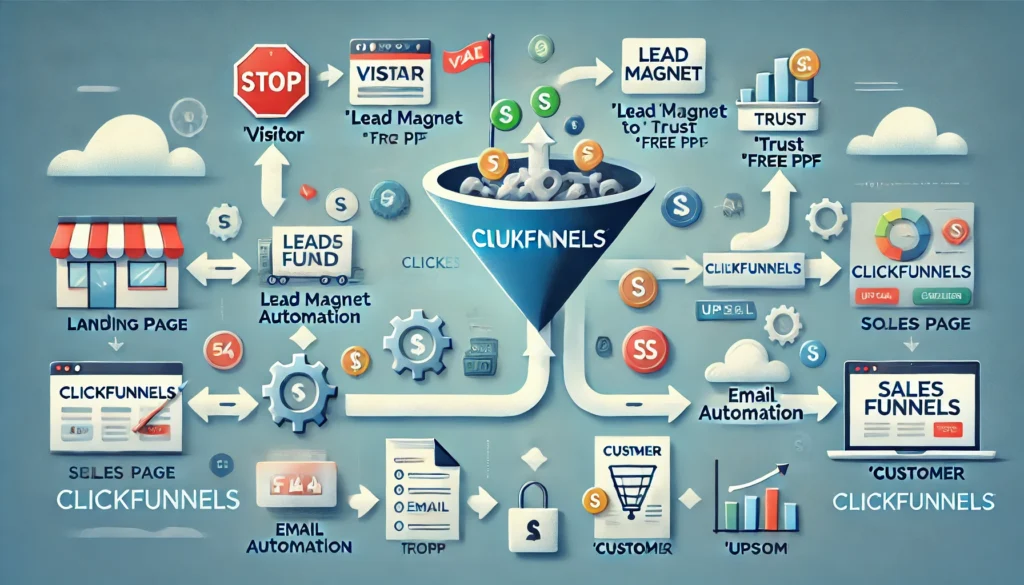
How ClickFunnels Turns Leads Into Customers
Here’s the simple breakdown:
Step 1: Capture Attention (Landing Page)
Your funnel begins with a high-converting landing page that gives visitors:
- A reason to stay
- A clear benefit
- One call-to-action (CTA)
Examples:
- “Download the free guide”
- “Sign up for the webinar”
- “Get 20% off”
ClickFunnels provides templates for every niche.
Step 2: Collect Contact Information (Lead Magnet)
To convert a visitor into a lead, you offer something valuable in exchange for their email.
Common lead magnets:
- Free PDF
- Discount code
- Free trial
- Checklist
- Mini-course
ClickFunnels makes it easy to build opt-in forms connected to your email tool.
Step 3: Nurture Leads (Automated Follow-Up)
Once someone signs up, ClickFunnels automatically:
- Sends welcome emails
- Nurtures the lead
- Introduces your brand
- Shares value
- Builds trust
This warm relationship increases the chances of conversion.
Step 4: Present the Offer (Sales Page)
Now that the lead trusts you…
It’s time to show what you’re selling.
A ClickFunnels sales page includes:
- Benefits
- Testimonials
- Social proof
- Pricing
- Guarantee
- A strong CTA
This is where leads turn into buyers.
Step 5: Upsell & Maximize Revenue (Order Bumps + OTOs)
ClickFunnels allows you to add:
- Order Bumps (small add-on at checkout)
- Upsells (one-time offers)
- Downsells (discounted offers)
These can boost revenue by 20–40% instantly.
Step 6: Complete the Sale & Track Results
ClickFunnels gives real-time analytics:
- Page views
- Conversion rate
- Opt-ins
- Sales
- Earnings
This helps you optimize and scale.
Types of Funnels You Can Build in ClickFunnels
ClickFunnels supports every major funnel type, including:
✔ Lead Generation Funnel
To grow your email list.
✔ Sales Funnel
To sell digital or physical products.
✔ Webinar Funnel
To educate and convert through live or automated webinars.
✔ Product Launch Funnel
For coaches, creators, and agencies.
✔ Membership Funnel
To deliver online courses or paid communities.
Whatever your business, there’s a funnel for it.
Why ClickFunnels Is So Effective
Because it:
- Removes distractions
- Guides users step-by-step
- Focuses on ONE goal
- Automates everything
- Provides plug-and-play templates
- Increases conversions
That’s why thousands of businesses rely on funnels instead of traditional websites.
Final Thoughts
ClickFunnels isn’t just a funnel builder — it’s a complete system that helps you turn visitors into leads and leads into paying customers.
Whether you’re a creator, entrepreneur, or small business owner, funnels are no longer optional — they’re essential for predictable growth.
Call to Action
Ready to start building your own funnel?
Explore ClickFunnels through BuyItUp’s Tools page 👇